Phone Not Charging? Full Diagnostic Guide (2026)

Ravish Pandey – Founder & Owner
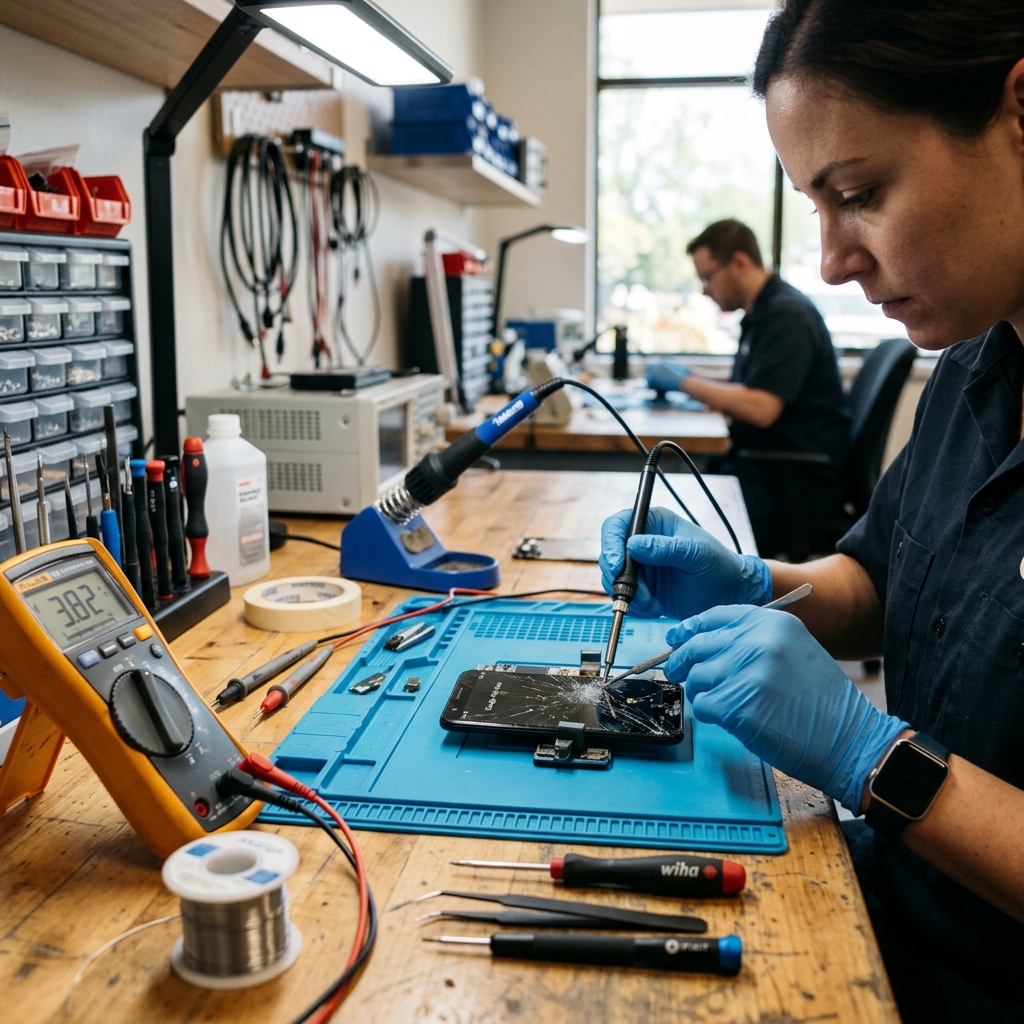
A phone that stops charging almost always comes down to four points of failure, and they fail in a predictable order: the cable, the port, the battery, then the charging IC on the board. Most cases are the first two, a worn cable or a lint-packed port, and you can fix them at home in minutes. The ones that need a technician, a worn port connector or a failed charging IC, look exactly the same from the outside, which is why guessing wastes money. This guide walks the diagnosis in order, shows the safe home fixes, and gives the real Patna repair costs for the faults you can't fix yourself.
Find your symptom
| What's happening | Most likely cause | Fix it yourself? |
|---|---|---|
| Nothing happens when plugged in | Dead cable, blocked port, or flat/failed battery | Maybe (cable + clean) |
| Charges only at a certain angle | Worn or loose port connector | No (port repair) |
| Was fast, now slow | Dirty port, wrong charger, or damaged negotiation pin | Sometimes |
| "Moisture detected" warning | Water or sweat in the port | Yes (dry it) |
| Charges, but drains while plugged in | Heavy use, heat, or a worn battery | Sometimes |
| Phone won't power on at all | Flat battery, port, or charging IC | No (diagnosis) |
The diagnostic order: cable, port, battery, IC
Work through the four points in this exact order, because each test rules out a layer and saves you paying for the wrong repair.
1. Cable and charger. Borrow a known-good cable and a proper wall charger, not a laptop or car USB. A frayed cable or a weak power source is the single most common cause and the cheapest to rule out. If a different cable charges the phone, you're done.
2. The port. With the phone off, shine a light into the port. Lint packed against the pins blocks contact and is the second most common cause, covered in detail below. If cleaning fixes it, you're done.
3. The battery. A battery below roughly 80% health charges slowly and drains fast, and a swollen battery can stop charging entirely. The signs are in signs your battery needs replacing. A swollen battery is a safety issue, see swollen battery: what to do.
4. The charging IC. If the cable is good, the port is clean and reseated, and the battery is healthy, the fault is on the board, usually the charging IC (the chip that manages power into the battery). This is the failure DIY guides skip because it can't be fixed at home. It can be fixed at the board level, covered below.
Clean the charging port without wrecking it
A blocked port is the most common fixable cause, and the fix is a minute of careful work. Power the phone off first. Use a short burst of compressed air to clear loose lint, then, if debris remains, gently lift it out with a dry wooden toothpick or a thin plastic pick, pushing it toward the opening.
One rule decides whether this stays free: never put metal inside the port. A needle, pin, or steel SIM ejector slips easily and either bends a pin or shorts the contacts, and a bent charging pin turns a free clean into a paid port replacement. The full step-by-step is in how to clean a charging port safely. If air and a toothpick don't restore charging, stop, the next step is a diagnosis, not harder scraping.
Why fast charging stops but normal charging works
Losing fast charging while slow charging still works points at the port's data pins, not the power pins. A USB-C or Lightning port carries power pins and separate communication pins that negotiate the charging speed with the charger. When one of those negotiation contacts wears, corrodes, or fills with grime, the phone can't confirm fast-charge handshake and drops to a safe default of about 5W.
So the phone still charges, just slowly, and people assume the battery is dying when the real fault is a single dirty or damaged pin. Clean the port first. If a deep clean doesn't bring fast charging back, the connector itself is worn and needs replacing, which is a port repair, not a battery job. The cable difference is explained in USB-C vs Lightning port repairs.
The "moisture detected" warning
This alert means the phone sensed water or sweat in the port and disabled charging to stop a short circuit. It's protection, not damage, and forcing a charge through it is the one thing that can cause real harm.
Unplug it. Don't use a hairdryer or stick anything absorbent into the port. Leave the phone in front of a fan or in a dry room for a few hours, then try again once the warning clears. If it never clears or keeps returning on a phone that isn't wet, the moisture sensor or port is corroded and needs a look, often the early sign of past water exposure covered in dropped your phone in water.
When the fix is board-level: the charging IC
If the cable, port and battery all check out and the phone still won't charge, the charging IC has failed. This chip sits on the motherboard and controls power flowing into the battery. When it dies, the phone behaves like a dead battery, no charging, sometimes no power, even though the battery is fine.
Most shops can't repair this and will tell you the motherboard is gone, or quote a full board swap. It's actually a micro-soldering repair: the failed IC is removed and a new one reflowed onto the board. As an IPC-7711 certified technician, this is the kind of chip-level work we do in-house, and it saves a phone that swap-only shops write off. It costs more than a port swap because it's solder-level work, but far less than a new motherboard or a new phone.
What charging repairs cost in Patna
| Repair | What it fixes | Starting price |
|---|---|---|
| Port lint clean | Blocked/slow charging from debris | Often free at diagnosis |
| Charging port replacement | Worn, loose, or bent-pin port | Rs 1,299 |
| Battery replacement | Won't hold charge, drains fast | Rs 1,499 |
| Charging IC (board-level) | Port and battery fine, still no charge | Diagnosis first, micro-soldering rate |
Figures are starting points confirmed after a free diagnosis. The full brand list is in the Patna mobile repair price guide, and the repair-or-replace maths is in repair or replace your phone.
When charging trouble isn't worth repairing
A charging repair is one of the cheapest fixes there is, so it's almost always worth doing on a healthy phone. Skip it in two cases. First, when the phone has stacked faults, a charging IC failure plus a cracked screen plus a worn battery on a phone worth Rs 6,000 used adds up past its value. Second, on a very old budget phone where even a Rs 1,299 port swap is a large share of what the phone is worth and a newer used handset makes more sense. A free diagnosis tells you which side of that line you're on before you spend anything.
Common charging questions
The FAQs above answer the queries people ask most: why a new cable doesn't help, why charging suddenly slowed, whether home cleaning is safe, the Patna cost, and whether a dead phone can be saved. For the specific model issues we see most in Bihar, the troubleshooting carries over to guides like Redmi Note 14 charging not working.
More charging and power guides
This is the hub for charging and power problems. The detailed spokes:
- Phone not charging: full troubleshooting
- How to clean a charging port safely
- USB-C vs Lightning port repairs
- Redmi Note 14 charging not working
- Related: battery replacement guide when the fault is the battery, not the port
Charging fault you can't place? Message your model and a photo of the port to +91 70043 61497 for a free diagnosis. We test cable, port, battery and IC in order, so you only pay for the layer that's actually broken.